


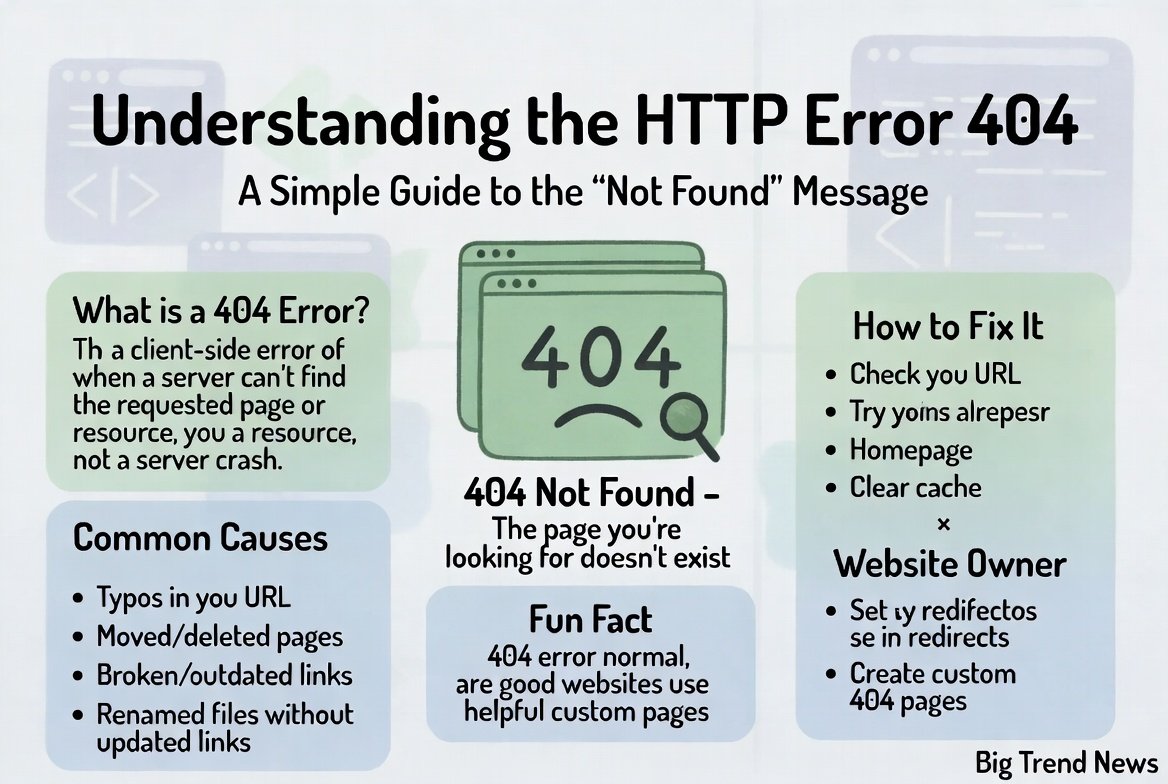
Have you ever been surfing the web, clicked on a cool link, and suddenly saw a big, blank page saying http error 404? It can be really frustrating when you are looking for information and hit a digital wall. Most of us just close the tab and move on, but knowing what is http error 404 can actually help you find what you need. This error is like a “wrong number” for the internet. It tells you that your computer talked to the website’s server, but the specific page you wanted isn’t there anymore. Whether you are a student, a blogger, or just a casual browser, understanding why this happens makes the internet a lot less mysterious.
What Does HTTP Error 404 Mean?
To put it simply, the http error 404 meaning is that the server could not find the requested webpage. Think of the internet like a giant library. You have a call number (the URL), and you go to the shelf where the book should be. You find the library building just fine, but the specific book is missing from the shelf. That empty space is exactly what an http error 404 not found message represents. It is the server’s way of saying, “I am here and working, but I don’t have the file you asked for.” It is one of the most common sights on the web because links break and pages move every single day.
Why You See the HTTP Error 404 Not Found Message
There are a few main reasons why you might run into an http error 404. The most common reason is a broken link. This happens when a website owner deletes a page or moves it to a new web address without telling the rest of the internet. Another big reason is a simple typo. If you are typing the address by hand and miss one letter, the server won’t recognize it and will throw the http error 404 screen. Sometimes, the website is undergoing maintenance, and certain parts are temporarily hidden. No matter the cause, the result is always the same: a missing page and a slightly annoyed user trying to get back on track.
The Technical Side: What Does HTTP Error 404 Mean for Coders?
For people who write code or build websites, this error can show up in different ways. You might see a message like urllib.error.httperror: http error 404: not found when running a Python script or a computer program. This specifically happens when your code tries to grab data from a website that isn’t there. It is a signal to the programmer that they need to check their links or update their data sources. Even if you aren’t a tech genius, seeing what does http error 404 mean in a coding context helps you realize that computers are just following strict rules. If the path isn’t perfect, the computer simply gives up and reports the error.
Common Variations of the 404 Message
Websites like to customize their error pages, so the http error 404 doesn’t always look the same. You might see “404 Not Found,” “The page cannot be found,” or even a funny picture of a lost dog. Some big companies like Google or Amazon have very simple pages, while creative blogs might have a game you can play while you’re stuck. Regardless of the design, the core message remains the http error 404 not found. The goal of these custom pages is to keep you on the site even when things go wrong. They often provide a search bar or a “Go Home” button to help you navigate away from the dead end.
How to Fix a 404 Error as a Visitor
If you find yourself staring at an http error 404, don’t panic! The first thing you should do is refresh the page. Sometimes the connection just had a tiny hiccup. Next, check the URL in the address bar. Look for spelling mistakes or extra slashes that shouldn’t be there. If the address looks correct, try moving “up” one level. For example, if website.com/blog/cool-post gives you an http error 404, try going to website.com/blog instead. You can also use a search engine like Google to find the new location of the page. Often, the information is still out there, just under a slightly different name.
Clearing Your Browser Cache and Cookies
Sometimes your computer remembers an old version of a site that doesn’t exist anymore. This “memory” is called a cache. If a website updated its links but your browser is still trying to use the old ones, you might see the http error 404 not found. Clearing your browser’s cache and cookies can give your computer a fresh start. It forces the browser to ask the server for the most recent version of the page. This is a very common fix for many internet problems, not just the http error 404. It only takes a minute in your settings and can solve a lot of hidden technical glitches.
Using the Wayback Machine to Find Lost Content
What if you really need the information from a page that is permanently gone? If you keep getting the http error 404, you can try using a tool called the Wayback Machine. This is a digital archive that takes “snapshots” of websites over time. You just paste the URL that gave you the http error 404 meaning into their search bar. It might show you exactly what the page looked like months or even years ago. This is like a time machine for the internet! It is a great way to recover lost articles or research that the original website owner decided to take down.
Why Webmasters Must Fix 404 Errors
If you own a website, having too many http error 404 pages is bad for business. Search engines like Google want to show users helpful results. If Google’s “bots” find a lot of broken links on your site, they might think your website is not being looked after. This can lower your ranking, meaning fewer people will find you. Fixing an http error 404 not found on your site is about being a good host. You want your visitors to have a smooth experience. Using tools to find and “redirect” these broken links to working pages keeps your audience happy and your SEO scores high.
Creating a Helpful Custom 404 Page
Since an http error 404 is bound to happen eventually, why not make the best of it? Smart website owners create custom 404 pages that are actually useful. Instead of a scary technical message about what is http error 404, they offer links to their most popular posts or a site map. Some even add a bit of humor to ease the frustration. A good 404 page should explain that the page is gone but provide clear paths for the user to stay on the site. This turns a “dead end” into a “detour,” which is much better for keeping people engaged with your content.
Summary of the 404 Experience
In the end, the http error 404 is just a natural part of how the internet grows and changes. Websites evolve, content gets updated, and sometimes things get lost in the shuffle. By understanding the http error 404 meaning, you become a more confident web user. You know it’s not your computer breaking, and you know there are steps you can take to find your way. Whether you are fixing a typo or searching through a web archive, you have the power to overcome the “Not Found” wall. The internet is a vast place, and a 404 is just a small signpost saying, “Try another path!”
Technical Details: The 404 Identity
| Category | Details |
| Error Name | HTTP Error 404 |
| Common Name | Not Found |
| Status Type | Client-Side Error |
| Impact | High (User Experience & SEO) |
| Typical Cause | Broken Links, Deleted Pages, URL Typos |
| Solution | Redirects (301), URL correction, Cache clearing |
Conclusion
The http error 404 might seem like a nuisance, but it serves an important purpose in web communication. It keeps the flow of information organized by letting us know when a path has reached its end. Whether you are a casual browser or a tech pro dealing with urllib.error.httperror: http error 404: not found, the key is to stay curious and keep looking for the right link. Next time you see that “Not Found” message, remember these tips and you’ll be back to browsing in no time!
(FAQs)
1. What is http error 404 exactly?
It is a standard response code indicating that the server could communicate with the user, but the server could not find what was requested. It essentially means the webpage is missing.
2. Is an http error 404 my computer’s fault?
Usually, no. It is either a mistake in the link you clicked, a typo you made, or the website owner moved the page. It rarely means there is something wrong with your actual hardware.
3. How can I fix the http error 404 not found on my own site?
You should use a “301 redirect.” This tells the server to automatically send anyone looking for the old, broken link to a new, working page instead.
4. Can an http error 404 go away on its own?
Only if the website owner restores the missing page or fixes the link. If you see it because of a temporary server glitch, a quick refresh might make it disappear.
5. What does http error 404 mean for my privacy?
Seeing a 404 error doesn’t affect your privacy. It is just a technical message about a missing file and doesn’t mean your data is being stolen or leaked.
6. Why do I see urllib.error.httperror: http error 404: not found in my script?
This happens in programming (like Python) when your code tries to access a URL that doesn’t exist. You need to check the URL string in your code for errors.
