

Introduction:
If you use the internet daily—whether browsing websites, watching videos, or shopping online—you interact with URLs constantly, even if you don’t realize it. Understanding what is a URL is essential for or basic computer literacy.
A URL is the backbone of the internet. It tells browsers where to find information, how to access it, and which resource to display. Without URLs, the modern web simply wouldn’t work.
This in-depth guide explains what is a URL, how it works, its structure, types, examples, importance for SEO, security aspects, and common mistakes—using simple language and practical explanations.
What Is a URL? (Simple Definition)
A URL (Uniform Resource Locator) is the address of a resource on the internet. Just like a home address tells people where you live, a URL tells a browser where a specific webpage, image, file, or video is located online.
In simple terms:
- A URL points to something on the web
- It tells the browser how and where to get it
- Every webpage has a unique URL
What Does URL Stand For?
To fully understand what is a URL, it helps to know what the term means.
URL stands for:
Uniform Resource Locator
- Uniform – follows a standard format
- Resource – any webpage, file, image, or service
- Locator – shows where the resource is located
This standardized format allows browsers worldwide to understand and access web content consistently.
Why URLs Are Important for the Internet
Understanding what is a URL becomes clearer when you see why URLs matter.
URLs are important because they:
- Allow users to access websites
- Help browsers retrieve data
- Enable search engines to index content
- Support sharing links across platforms
- Maintain structure and organization on the web
Without URLs, there would be no direct way to reach specific content online.
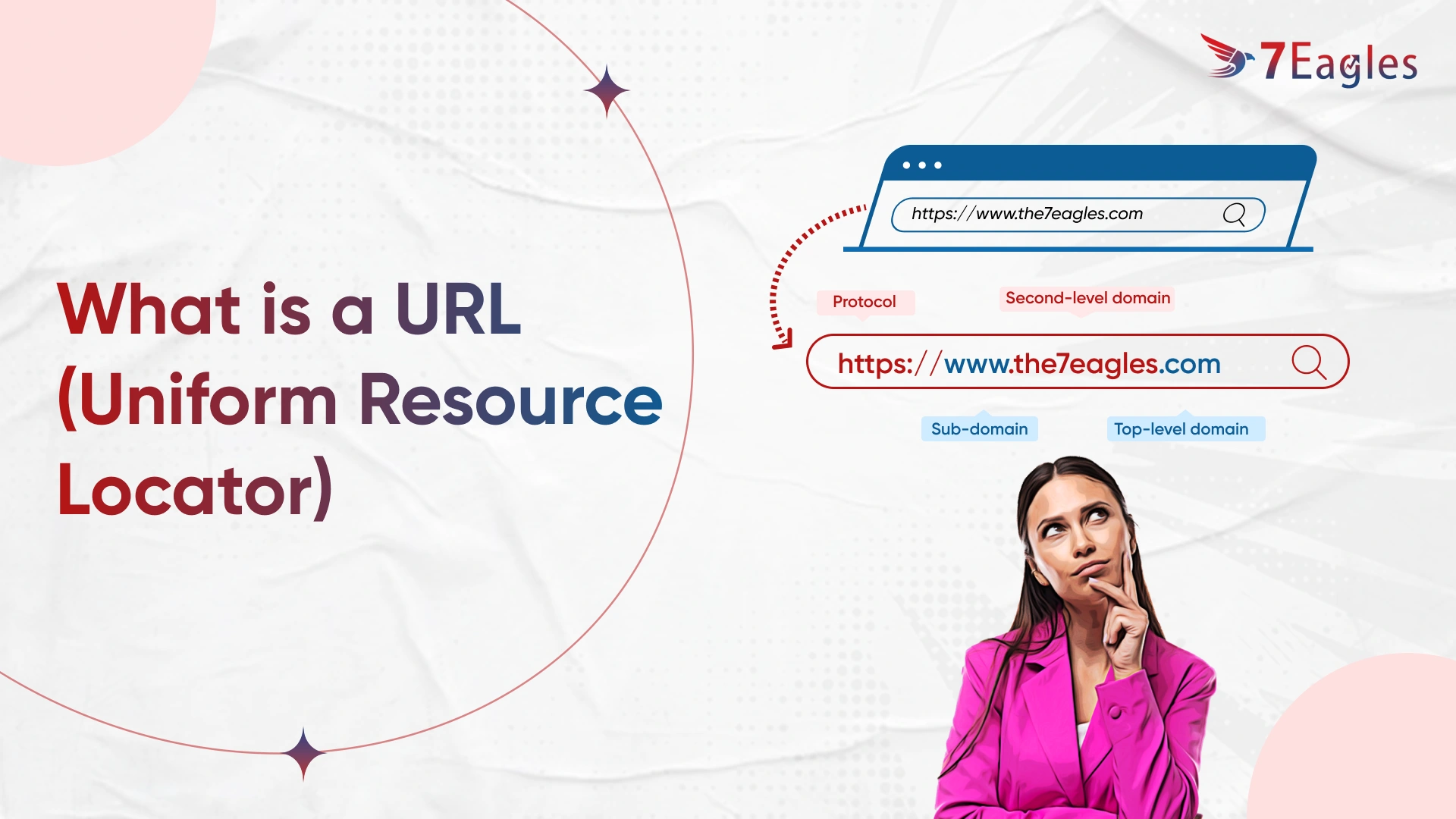
Basic Structure Explained: What Is a URL Made Of?
To truly understand what is a URL, let’s break it into parts.
Here is a basic example:
https://www.example.com/blog/what-is-a-url
Each part has a specific purpose.
1. Protocol (Scheme)
The protocol tells the browser how to access the resource.
Common protocols include:
http– HyperText Transfer Protocolhttps– Secure version of HTTPftp– File Transfer Protocol
Today, HTTPS is the standard because it encrypts data and improves security.
2. Domain Name
The domain name identifies the website.
Example:
www.example.com
It acts as a human-readable version of an IP address, making websites easier to remember.
3. Path
The path shows the location of a specific resource on the website.
Example:
/blog/what-is-a-url
This helps organize content and guides users and search engines.
4. Query Parameters (Optional)
Query parameters provide additional information.
Example:
?category=tech
They are often used for tracking, filtering, or dynamic content.
5. Fragment (Anchor)
A fragment points to a specific section of a page.
Example:
#definition
It improves user experience by jumping directly to relevant content.
Types of URLs Explained Clearly
Another important part of understanding what is a URL is knowing its different types.
Absolute URL
An absolute URL includes the full web address.
Example:
Used when linking between different websites.
Relative URL
A relative URL only shows the path, not the full domain.
Example:
Used within the same website.
Static URL
Static URLs remain unchanged.
Example:
Dynamic URL
Dynamic URLs contain symbols and parameters.
Example:
They are generated automatically and often used in databases.
What Is a URL Used For?
Knowing what is a URL also means understanding how it’s used in real life.
URLs are used to:
- Open websites
- Download files
- Share content
- Access APIs
- Track marketing campaigns
Every digital interaction online depends on URLs.
- Short and descriptive
- Uses readable words
- Contains keywords naturally
- Avoids unnecessary numbers or symbols
Search engines prefer clean URLs because they:
- Improve crawlability
- Enhance user trust
- Increase click-through rates
HTTPS vs HTTP: Security Explained
When learning what is a URL, security is critical.
HTTP:
- Data is not encrypted
- Less secure
HTTPS:
- Encrypts data
- Protects user privacy
- Boosts rankings
Modern browsers warn users when a site does not use HTTPS, making it essential for credibility.
What Is a URL Slug?
A URL slug is the readable part at the end of a URL.
Example:
Best practices for slugs:
- Use lowercase letters
- Separate words with hyphens
- Avoid stop words
- Keep it short
Slugs help both users and search engines understand page content.
Common URL Mistakes to Avoid
Understanding what is a URL also means knowing what not to do.
Common mistakes include:
- Using long, messy URLs
- Stuffing keywords
- Using underscores instead of hyphens
- Changing URLs without redirects
- Using uppercase letters
What Is a URL Redirect?
A URL redirect sends users from one URL to another.
Common Types:
- 301 Redirect – Permanent
- 302 Redirect – Temporary
Redirects are important when:
- Updating URLs
- Fixing broken links
- Migrating websites
What Is a URL Shortener?
URL shorteners convert long URLs into shorter versions.
They are commonly used for:
- Social media
- SMS marketing
- Cleaner sharing
However, users should be cautious with unknown short links.
What Is a URL Encoding?
URL encoding replaces unsafe characters with readable symbols.
Example:
- Space becomes
%20
Encoding ensures URLs work correctly across browsers and servers.
Difference Between URL and URI
Many people confuse these terms.
- URL – Points to a specific resource location
- URI – Identifies a resource (broader concept)
All URLs are URIs, but not all URIs are URLs.
What Is a URL in Everyday Life?
You use URLs when you:
- Click a website link
- Watch an online video
- Share a page on social media
- Open an email link
Even mobile apps rely on URLs behind the scenes.
How Browsers Use URLs
When you enter a URL:
- Browser reads the protocol
- Finds the server using the domain
- Requests the resource
- Displays the content
All of this happens in milliseconds.
Frequently Asked Questions About What Is a URL
What is a URL in simple words?
A URL is the address of something on the internet.
Can two websites have the same URL?
No. Every URL is unique.
Is a URL the same as a website?
No. A website can have many URLs.
Why is HTTPS important in a URL?
It protects user data and improves trust.
Future of URLs on the Internet
URLs continue to evolve with:
- Improved security
- Cleaner structures
- Better readability
- Voice and AI integration
Despite new technologies, URLs remain essential to how the internet works.
Final Thoughts: What Is a URL and Why You Should Care
Now that you fully understand what is a URL, it’s clear why URLs are one of the most important components of the internet. They connect users to information, help search engines rank content, and enable secure communication online.
